
Android · Free + optional paid Pro
ShareSafe
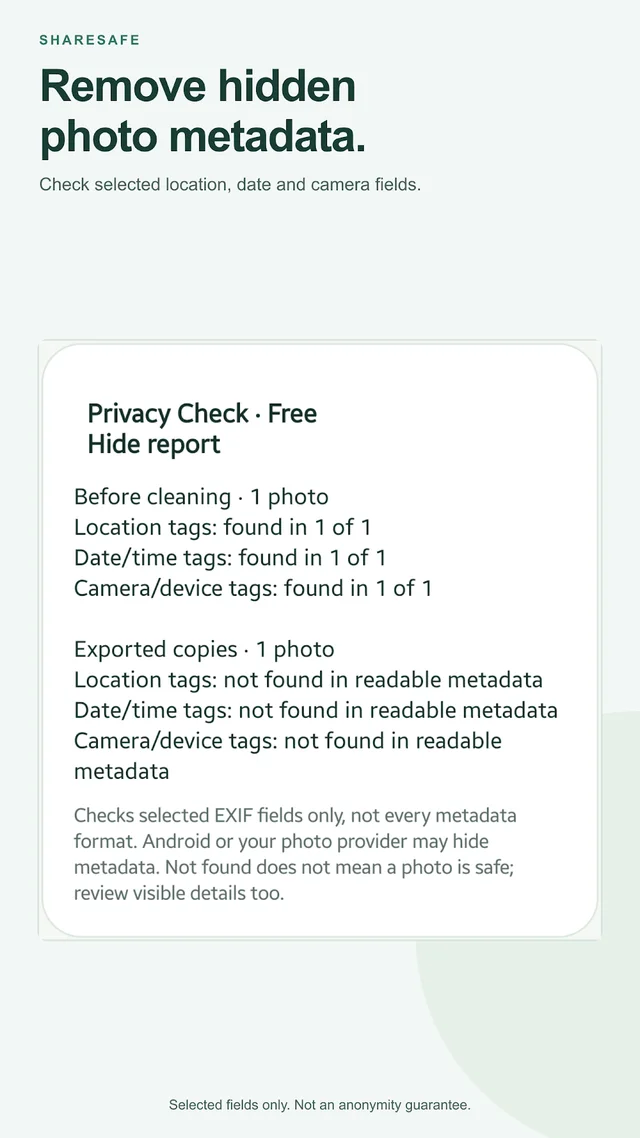
Remove photo metadata before sharing. Clean copies stay on your device; originals stay untouched.
What you can do
- Use free Privacy Check to inspect selected EXIF fields before and after cleaning
- Remove EXIF location, camera, and timestamp metadata
- Replace original filenames with neutral filenames
- Choose JPEG quality and export individual files or a ZIP
- Save cleaned copies to your gallery or share them
Photo processing stays on-device. The Play edition includes ML Kit SDK metrics; the privacy policy explains what those metrics contain.
Optional ShareSafe Pro adds on-device Face Assist, editable solid Cover areas, blur and pixelation through a one-time Google Play purchase. Face suggestions require review and can miss faces. Metadata cleaning and Privacy Check stay free. Your local Pro price is shown before purchase.
Metadata removal does not hide faces, visible addresses, or other identifying content in the image. Blur and pixelation can still reveal information. Review each copy before sharing. JPEG export can change quality and does not preserve animation or transparency.
Step-by-step guide
Clean a photo before you share it
Follow the free Privacy Check and metadata-cleaning workflow with real app screenshots, then review and share the new copy.